Screenshots for apps that handle other people’s money
Finance browsers are looking for the catch. A gallery that answers “is this safe” and “what does it cost” by the third frame outperforms one that spends six frames listing features.
Generate a finance galleryFinance sets from the gallery
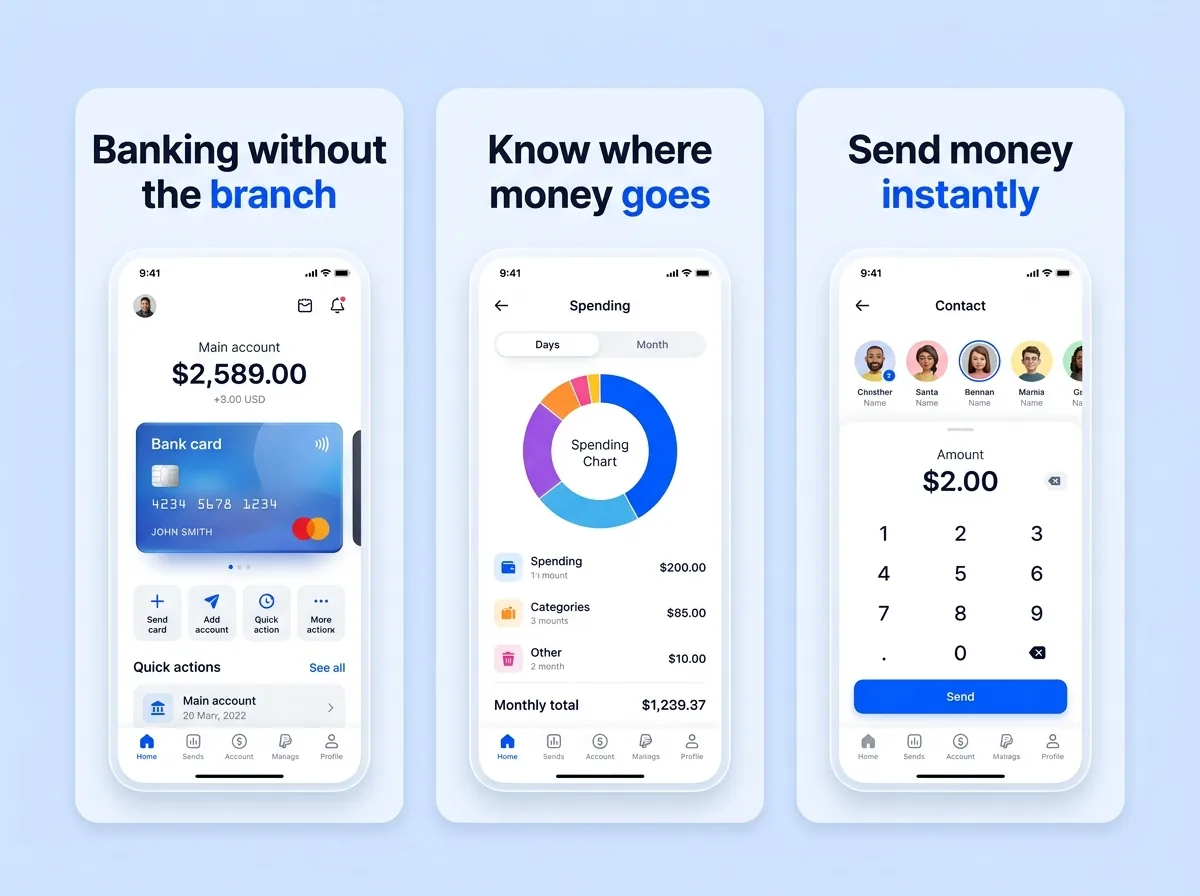
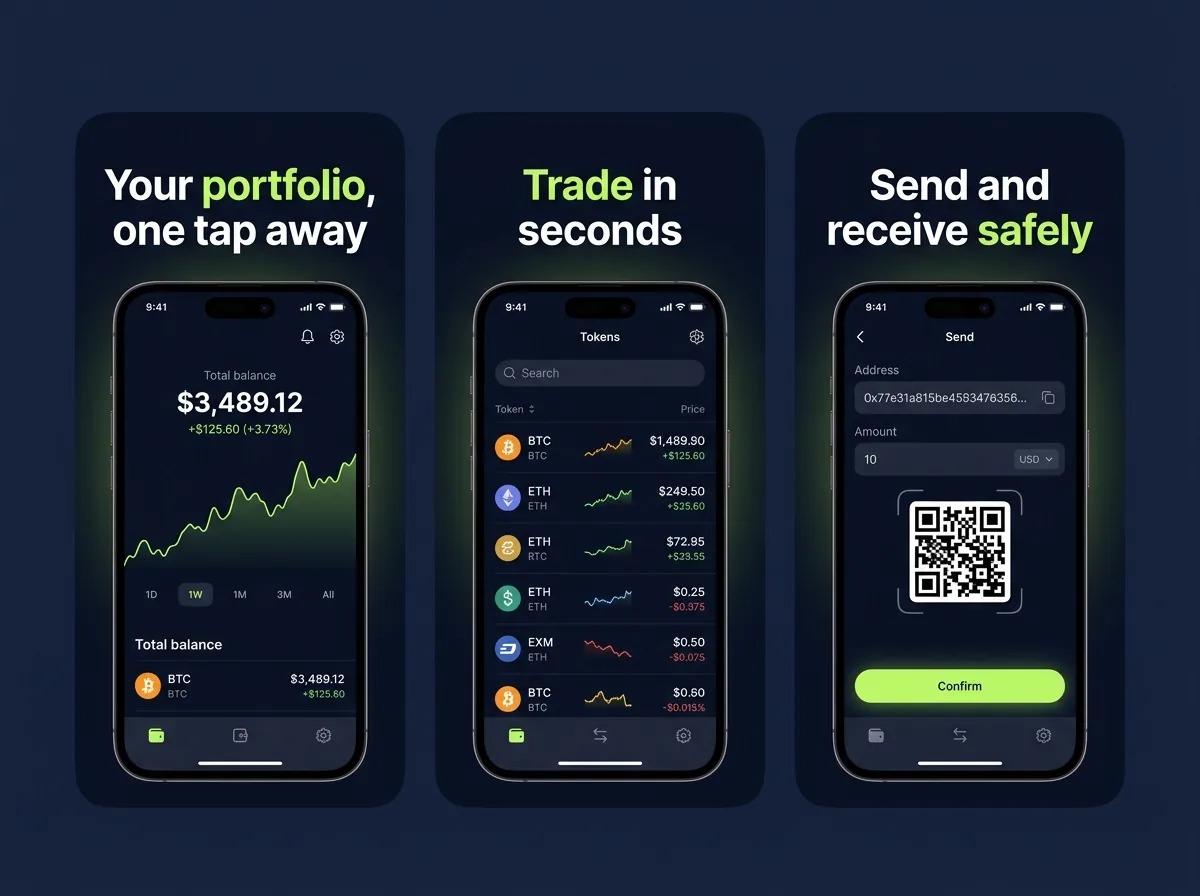
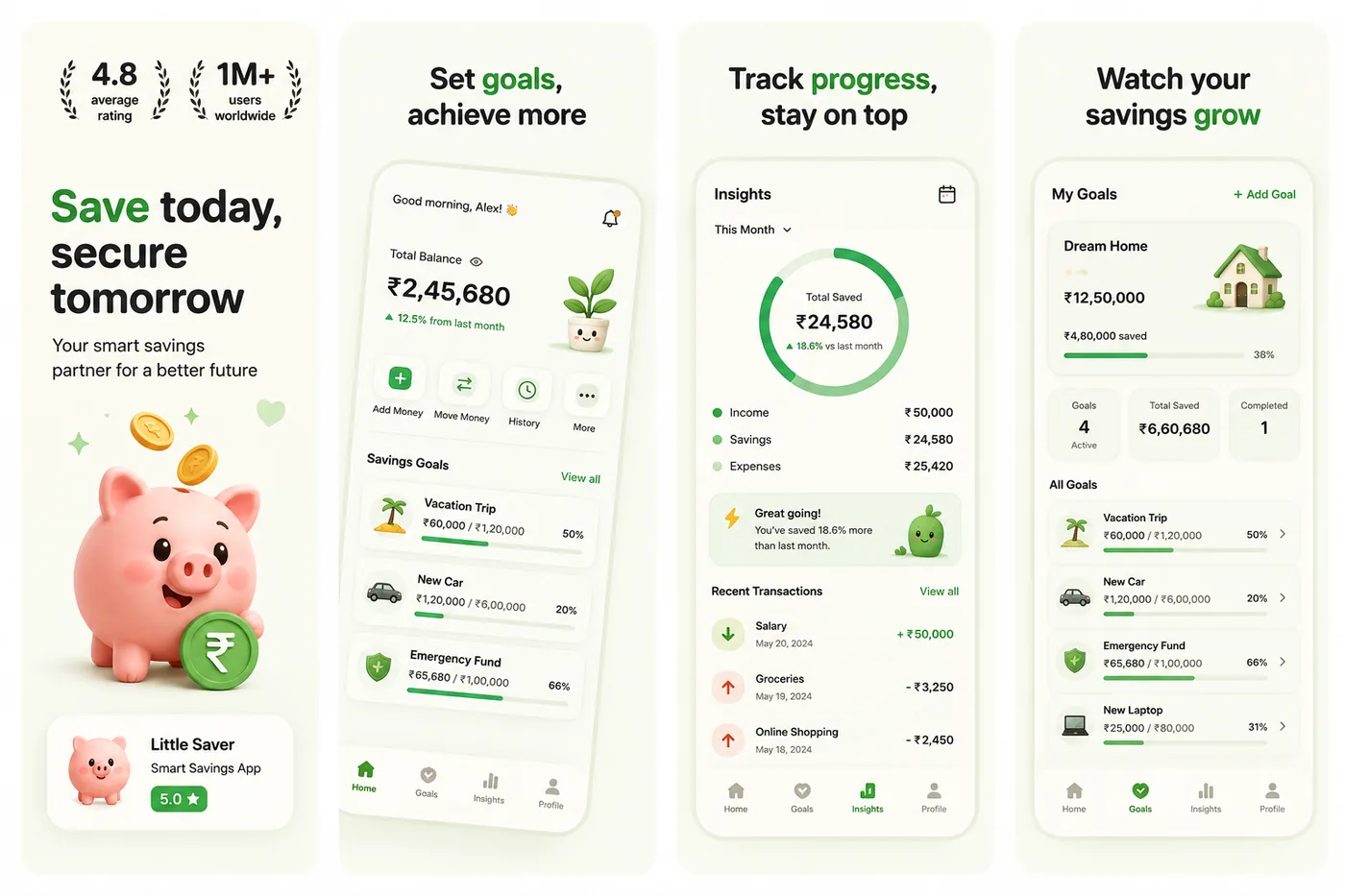
A six-frame plan for a finance listing
The order differs from other categories: security and cost move forward, breadth moves back.
- 1The single financial outcome"See every account on one screen" — the fragmentation pain, named in five words.
- 2The proof screenThe feature that delivers it, shown working, with plausible numbers rather than round ones.
- 3Security, explicitlyEncryption, biometric lock, regulated status. In finance this belongs early, not at frame five.
- 4The differentiatorWhatever you do that the incumbent bank does not — instant categorisation, no fees, joint accounts.
- 5Cost clarity"No monthly fee" or your actual pricing. Ambiguity about cost is the single biggest drop-off in finance listings.
- 6The nudgeOpen in minutes, no paperwork. Or a genuine, current trust badge.
Six rules specific to finance
Restraint reads as trustworthy
Deep blues, greens and near-blacks are the category convention for a reason. A loud gradient that would sell a fitness app makes a finance app look like something to be careful with. Brand Match and Minimal Light are the directions that fit.
Use realistic numbers, not round ones
£1,000.00 in every balance reads as a screenshot from a demo. £1,247.83 reads as a product. Never use real customer data, and never use a number that implies a return you cannot deliver.
Show the security, do not just claim it
A frame showing the Face ID prompt or the account-lock screen communicates more than the word "secure" in a headline. Security is a feature you can screenshot.
Say what it costs
Finance buyers are hunting for the catch. A frame that answers "what does this cost me" early removes the objection that otherwise ends the session on frame three.
Every claim has to survive review
Rates, returns, insurance status and regulatory claims are checked. "FDIC insured", "FCA regulated" or a specific APY must be current, accurate, and applicable to the user seeing it.
No implied investment advice
A screenshot implying guaranteed returns, or that a chart is a recommendation, is a rejection on both stores and a regulatory problem beyond them. Show the tool, not the outcome you cannot promise.
Headlines that work in this category
Concrete, four to six words, and about the person’s money rather than your technology.
- “See every account on one screen”
- “Know where your money went, every Friday”
- “Round up, save without noticing”
- “Locked with Face ID, always”
- “No monthly fee. No minimum.”
- “Freeze your card in one tap”
More patterns in twelve headline formulas.
Finance listing questions
What should fintech app screenshots show?+
The financial outcome first, the mechanism second, and security and cost early rather than late. Finance browsers are looking for reasons to distrust you, so a gallery that answers "is it safe" and "what does it cost" by frame three converts better than one that spends six frames on features.
Can I show real account data in screenshots?+
Never real customer data — that is a privacy problem regardless of store policy. Use plausible synthetic data: uneven amounts, realistic merchant names, and dates that are not all the first of the month.
Which colours work for finance apps?+
Deep blues, greens and near-blacks dominate the category, and matching that convention signals "this is a serious financial product" before anyone reads a word. Differentiate with a single accent colour from your icon rather than by abandoning the palette entirely.
Do trust badges help?+
Real, current ones do — regulated status, deposit insurance, a security certification. Invented badges, unearned star ratings and vague "bank-level security" claims fail review and are read as a signal by exactly the audience you are trying to reassure.
How do I generate these?+
Upload your own screens. The generator reads your palette and category from the screens themselves, so a finance app produces a finance-appropriate composition without you having to specify it — and you can push it further with a plain instruction to the AI agent.
Other categories
The first frame is a different job in every category. These two are the closest to this one.
Try it on your own screens
Three free credits, no card. Upload a few screens and see the finished set before deciding any of this matters.
Generate a screenshot set